Monitor Docker From Your Phone.No Cloud Account Required.
Connect one Docker host free, view server health, stream logs, and restart containers from mobile. Add the lightweight Docker Monitor Agent when you are ready to connect your own host.


5-minute server setup
TOKEN="$(openssl rand -hex 32)"
SOCK_GID="$(stat -c '%g' /var/run/docker.sock)"
IMAGE="appleberryd/dockermonitor-agent:0.1.2"

docker rm -f docker-monitor-agent >/dev/null 2>&1 || true
docker run -d \
  --name docker-monitor-agent \
  --restart unless-stopped \
  -p 9876:9876 \
  -e AGENT_AUTH_TOKEN="$TOKEN" \
  -v /var/run/docker.sock:/var/run/docker.sock:ro \
  -v /:/host:ro \
  --user 65532:65532 \
  --group-add "$SOCK_GID" \
  --security-opt no-new-privileges:true \
  --read-only --tmpfs /tmp \
  "$IMAGE"

echo "AGENT_AUTH_TOKEN=$TOKEN"Docker Monitor in 3 Steps
Deploy the agent container, set token auth, and connect your app.
Deploy Agent Container
Start `docker-monitor-agent` on your server. It talks to Docker over the Unix socket and exposes only required endpoints.
Secure With Token
Set `AGENT_AUTH_TOKEN` and paste that token in Docker Monitor. Requests are authenticated with `Authorization: Bearer ...`.
Operate From Mobile
Monitor containers, stream logs, view host stats, and run start/stop/restart actions from anywhere.
Why Teams Use Docker Monitor
Fast onboarding, clear auth boundaries, and mobile-first visibility.
Simple Containerized Rollout
The agent runs as a normal container and can be removed or updated independently per host.
Dedicated Auth Layer
Use a per-server bearer token in the app. Unauthorized calls are blocked before monitored endpoints are accessed.
Host + Docker Stats
`/agent/stats` provides host-level metrics plus Docker counts in one mobile-friendly response.
Mobile Incident Response
Check logs, inspect state, and restart stuck containers without waiting to get back to your laptop.
SSH Tunnel Support
If your servers are private, tunnel app traffic through SSH and target the agent port safely.
Consistent Team Workflow
Standardize server onboarding around one deployment model across staging and production hosts.
Built For Quick Mobile Decisions
Agent on server. Actionable context on phone.
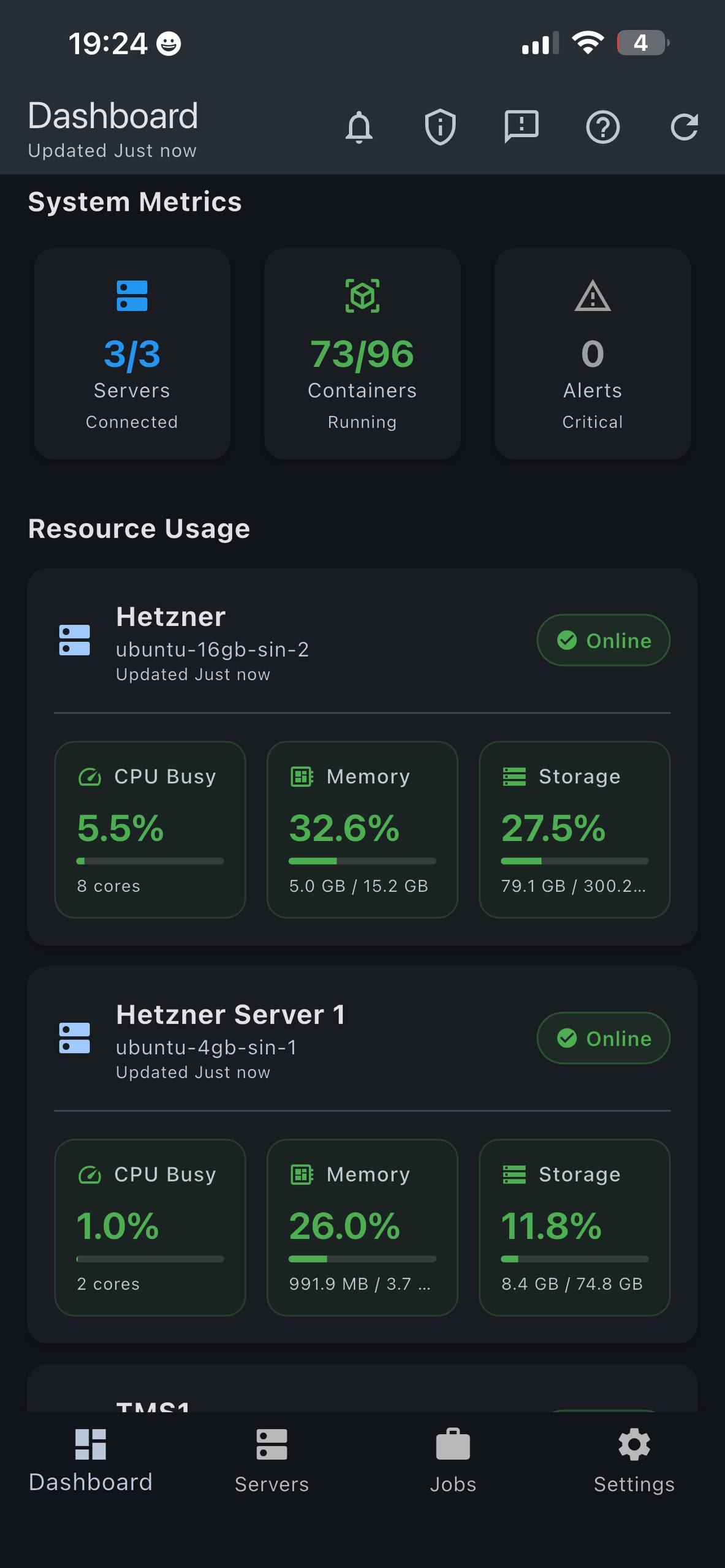
Fleet Overview
See server and container status instantly.
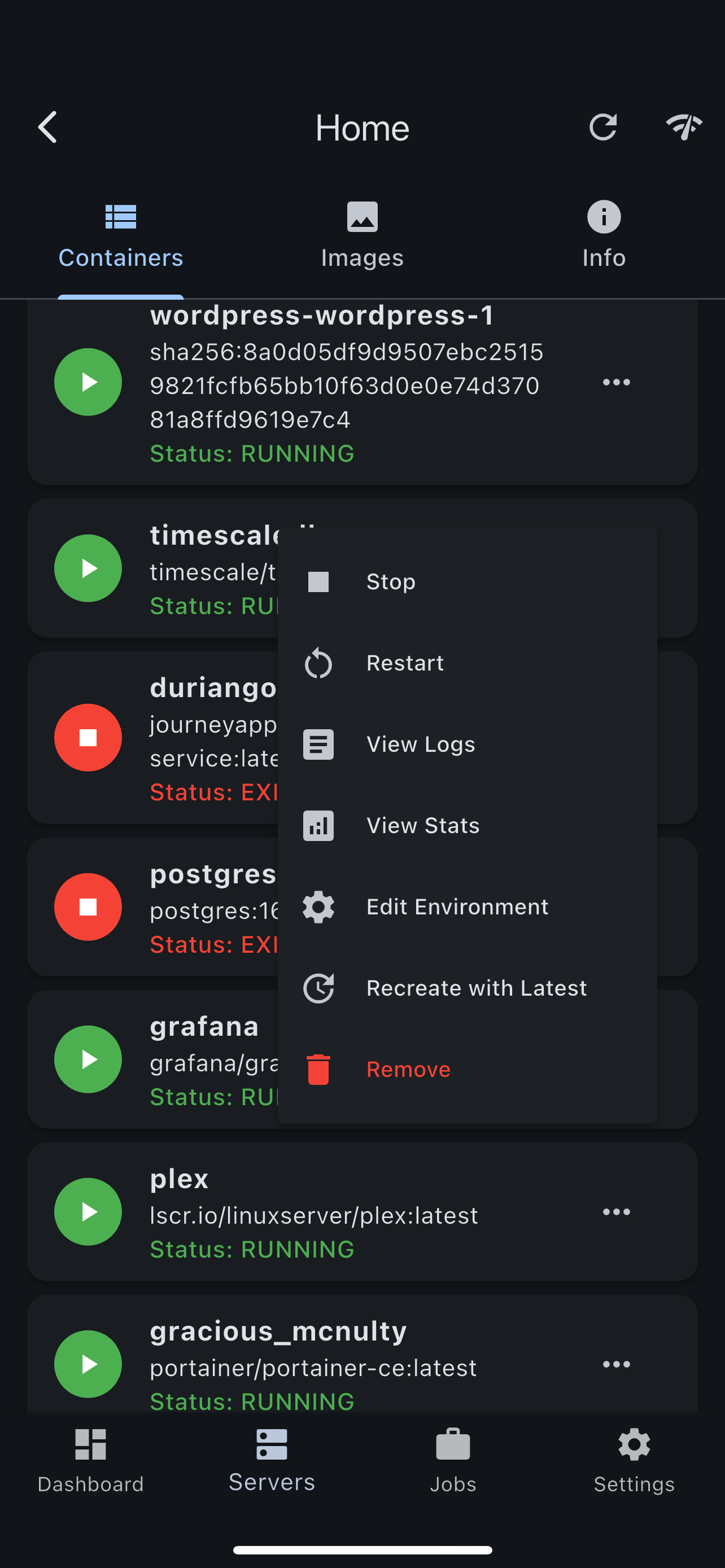
Container Controls
Start, stop, restart, and inspect with a few taps.
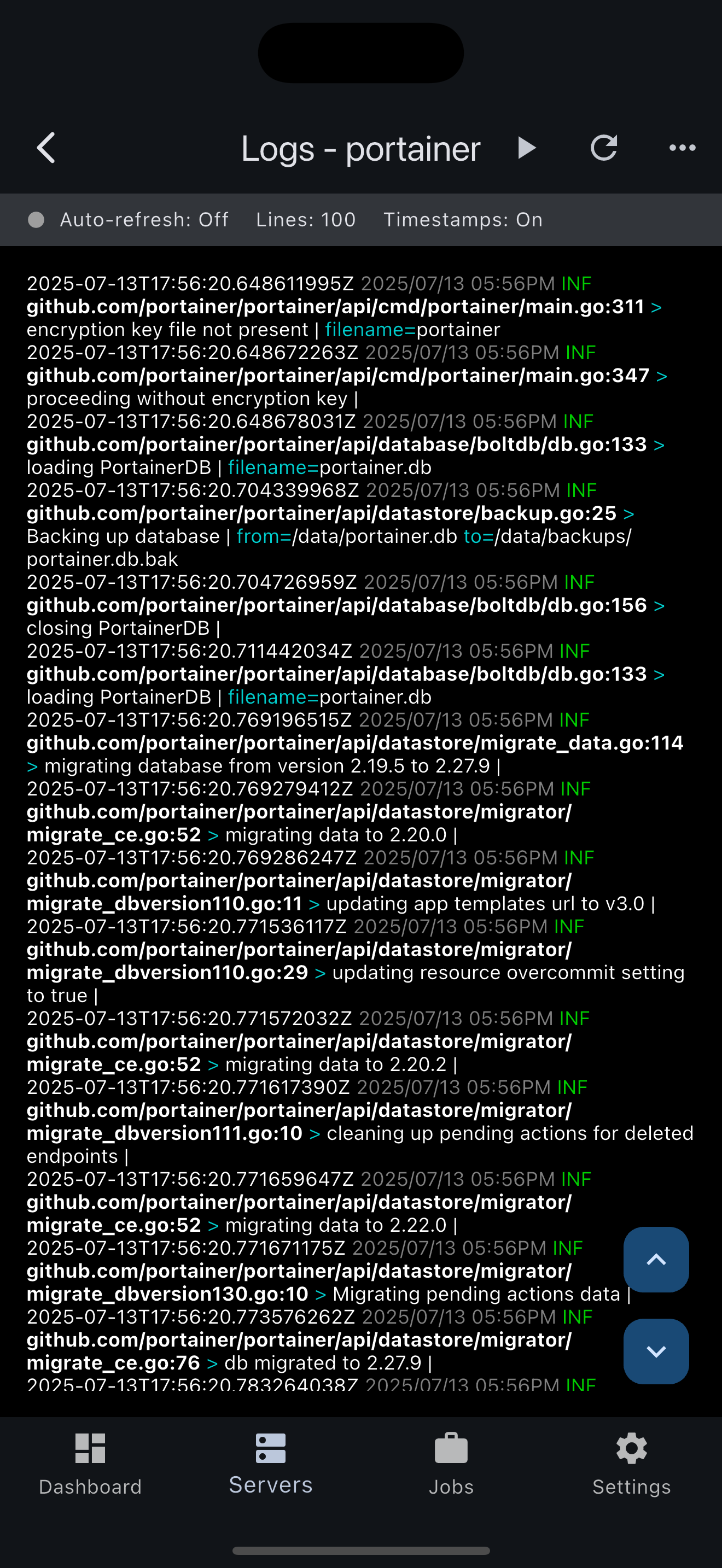
Live Logs + Stats
Investigate incidents directly from your phone.
Free to Start. One Purchase for Your Whole Fleet.
Connect your first server free with the complete feature set — no account, no trial clock. Upgrade once to monitor every server you run.
Free
$0
- ✓ 1 server
- ✓ Dashboard, alerts & host metrics
- ✓ Live logs with ANSI colors
- ✓ Container start / stop / restart
- ✓ SSH tunneling & token auth
- ✓ No account, data stays on device
Pro
$14.99 lifetime
- ✓ Everything in Free
- ✓ Unlimited servers
- ✓ Background jobs (pull, recreate, remove)
- ✓ Pay once — no subscription
- ✓ Family Sharing supported
Bought Docker Monitor when it was a paid app? You're grandfathered into Pro automatically — free.
Deploy The Agent, Then Download The App
Deploy Docker Monitor on your hosts and monitor container health from anywhere.